
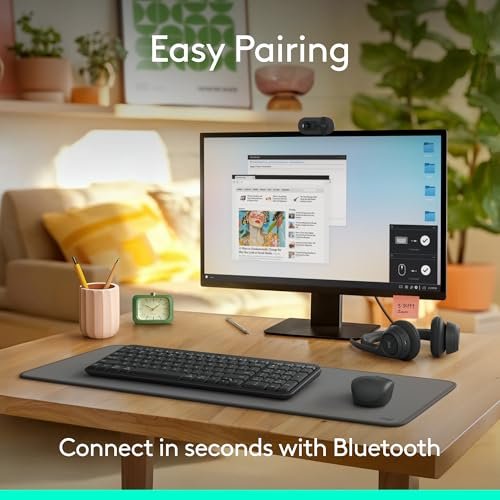
A Bluetooth wireless keyboard connects to your computer, tablet, or phone without a cable. It suits home workers, students, and anyone who wants a tidier desk or easy device switching. The best bluetooth wireless keyboard makes daily typing feel simple and dependable.
A keyboard can look good online yet feel cramped, loud, or slow once it reaches your desk. Some buyers miss that a model uses a USB receiver instead of Bluetooth, or that a compact layout leaves out a number pad. Weak key response and tricky device switching can turn routine work into a daily annoyance. Choosing with care matters: the right keyboard should match your devices, typing habits, and space, not just its price or appearance.
I focused this guide on practical details that shape everyday use: connection type, layout, device support, and useful extras. I compared the supplied product information and separated true Bluetooth choices from receiver-based options, so the differences are clear. My goal is to help you find the best bluetooth wireless keyboard for your setup, with honest trade-offs and easy choices.
What you’ll learn
- How to tell Bluetooth models from USB receiver keyboards
- Which keyboard layouts work well for desks, travel, and TV use
- What to consider when pairing a keyboard with several devices
- Which model best matches your budget and daily typing needs
In This Article
How To Choose The Best Bluetooth Wireless Keyboard
The best bluetooth wireless keyboard is the one that fits your devices and your daily work. A common buying mistake is to see “wireless” and assume it means Bluetooth; some keyboards need a USB receiver. Others feel too small, lack a number pad, or cannot switch between devices. Check the connection method, layout, and supported systems before you buy. Also consider where you will type and whether you need quiet keys, a touchpad, or a rechargeable battery. A little care now can spare you daily frustration later.
Check Bluetooth and Device Support
First, confirm that the keyboard uses Bluetooth if you want to pair it without a USB port or receiver. “Wireless” alone does not promise Bluetooth. The Logitech K250 is Bluetooth-only, while the MK270 and K400 Plus use a USB receiver. The TECKNET supports both Bluetooth and 2.4 GHz connections, and the K950 can pair with up to three devices. Check that your computer, tablet, or TV system is supported. If you switch between devices, easy pairing and clear controls matter more than a long list of features.
Choose a Layout That Fits Your Work
A full-size keyboard with a number pad is useful for spreadsheets, budgets, and data entry, but it takes more desk space. A compact model can leave room for a mouse and travel more easily, though its keys may feel closer together. Check the layout before you buy, especially if you use arrow keys or a number pad often. The K250, K950, and TECKNET provide a number pad. For a TV-connected PC, the K400 Plus adds a touchpad, so you can control the pointer without a separate mouse.
Match Key Feel and Power to Your Routine
Key feel shapes every work session. Low-profile, laptop-style keys suit people who like a slim design, while deeper keys may appeal to typists who want more key travel. Quiet typing can help in shared rooms, but comfort is personal, so check the product details and return policy. Also consider power: the supplied product details describe the TECKNET as rechargeable, while battery arrangements can differ across other models. Avoid assuming that every wireless keyboard has the same battery life or charging method. Pick features that suit your desk and habits.
Quick Comparison
| Model | Category | Best For | Key Spec | Amazon |
|---|---|---|---|---|
| Logitech K250 | Bluetooth Pick | Simple full-size Bluetooth typing | Bluetooth only; number pad | Amazon |
| Logitech Signature Slim K950 | Multi-Device | Quiet typing across devices | Pairs with up to three devices | Amazon |
| TECKNET Bluetooth Keyboard | Flexible Wireless | Users who want Bluetooth or 2.4 GHz | Four-device support; rechargeable | Amazon |
| Logitech MK270 Combo | Receiver Combo | A keyboard and mouse for one PC | USB-A nano receiver | Amazon |
| Logitech K400 Plus | TV Keyboard | PC-connected TV control | USB receiver; built-in touchpad | Amazon |
In-Depth Reviews for the Best Bluetooth Wireless Keyboard
1.Logitech K250 Bluetooth Keyboard
 Logitech K250 Bluetooth Keyboard
” />
The Logitech K250 is a straightforward full-size Bluetooth keyboard with a number pad and deep-profile keys. Its responsive typing suits everyday work, from email to spreadsheets. Bluetooth-only pairing keeps the desk free of a USB receiver, which helps on devices with few open ports. Spill-resistant design adds a useful layer of protection for busy home or office desks.
This model keeps the familiar full-size layout, so most people can move from an older desktop keyboard without a learning curve. The number pad is handy for figures, while the deeper keys offer a different feel from slim laptop-style boards. It suits Windows and macOS users who want simple Bluetooth typing, a number pad, and no extra mouse or receiver.
The spill-resistant design may help with small desk mishaps, but it is not a reason to pour liquid on the keyboard. Its practical shape and simple connection offer good value for daily use. Keep it clean with a dry or lightly damp cloth, and follow the maker’s care instructions.
Why It’s Great
- Bluetooth-only connection avoids needing a USB receiver.
- Full number pad helps with data entry and calculations.
- Deep-profile keys provide a distinct typing feel.
- Responsive keys suit everyday work and messages.
- Spill-resistant design adds useful peace of mind.
Good to Know
- It does not include a USB receiver as a backup connection.
- The full-size layout takes more desk space than a compact board.
- Deep-profile keys may not suit people who prefer low laptop-style keys.
2.Logitech Signature Slim K950
 Logitech Signature Slim K950
” />
The Logitech Signature Slim K950 is a full-size wireless keyboard with a number pad and quiet, laptop-style typing. Its main draw is the ability to pair with up to three devices, making it useful for people who move between a computer, tablet, or other supported system. Multi-OS support gives it broad appeal across Windows, Mac, and Chrome environments.
The slim design gives a desk a tidy look, while the full layout keeps number entry and familiar keys close at hand. Quiet typing can be a welcome fit for shared rooms or home offices. It is best for people who want to switch among several devices and prefer low-profile keys over a deeper, more traditional feel.
The clean, slim shape is easy to wipe down as part of normal desk care. Its multi-device features and full-size layout make it a flexible choice for regular work. Consider the price and your need for device switching before choosing it over a simpler Bluetooth keyboard.
Why It’s Great
- Pairs with up to three devices for flexible work.
- Quiet typing helps keep shared spaces calmer.
- Full-size layout includes a useful number pad.
- Slim design gives the desk a clean look.
- Supports Windows, Mac, and Chrome systems.
Good to Know
- Its full-size layout needs more room than a compact keyboard.
- Laptop-style keys may not suit users who want deeper key travel.
- Its device-switching features matter less if you use only one device.
3.TECKNET Bluetooth Multi-Device Keyboard
 TECKNET Bluetooth Multi-Device Keyboard
” />
The TECKNET is a full-size wireless keyboard with Bluetooth and 2.4 GHz connection options. It supports four-device switching, includes a numeric pad, and has quiet keys and twelve hot keys. Its rechargeable design may appeal to people who prefer charging over replacing batteries. This mix of connection choices makes it a flexible alternative to a Bluetooth-only keyboard.
The slim shape keeps a full layout without the bulk of a deep-profile board. Switching among several devices can help people who work across a laptop, phone, or tablet, though users should check that each device supports their chosen connection. It suits home offices and shared work areas where a number pad, quiet keys, and flexible pairing are useful.
A rechargeable design can reduce the need for disposable batteries, though charging is still part of upkeep. The full-size build offers a practical set of features for its category. Keep the keyboard free of dust and follow the maker’s care and charging guidance to help preserve its value.
Why It’s Great
- Offers both Bluetooth and 2.4 GHz connection options.
- Four-device support suits people with several devices.
- Rechargeable design avoids routine battery replacement.
- Full-size layout includes a numeric pad.
- Twelve hot keys offer quick access to common tasks.
Good to Know
- The 2.4 GHz connection may require a compatible USB receiver.
- Confirm which connection types work with each of your devices.
- A rechargeable keyboard needs charging when its power runs low.
4.Logitech MK270 Wireless Keyboard and Mouse
 Logitech MK270 Wireless Keyboard and Mouse
” />
The Logitech MK270 combines a full-size wireless keyboard with a compact, ambidextrous mouse. Both connect through one included USB-A nano receiver, making setup simple on a compatible computer. The spill-resistant keyboard adds practical protection for everyday desk use. It is a useful value choice for buyers who need a matched keyboard and mouse rather than Bluetooth device switching.
The familiar full-size layout gives room for everyday typing, while the included mouse completes a basic desktop setup. The ambidextrous shape is suited to left- and right-handed use. This set is best for someone who works at one computer with an available USB-A port and does not need Bluetooth pairing with a phone or tablet.
The keyboard’s spill-resistant design and compact mouse make this a practical desk set. Clean both with care and avoid letting liquid enter the devices. Its value comes from getting two everyday tools in one package, but the receiver-based connection is an important limit for buyers seeking Bluetooth.
Why It’s Great
- Includes both a full-size keyboard and a mouse.
- One USB-A nano receiver connects the set.
- Ambidextrous mouse suits either hand.
- Spill-resistant design helps with small desk spills.
- A practical pick for a basic single-computer setup.
Good to Know
- This model uses a USB receiver, not Bluetooth.
- The computer needs an available compatible USB-A port.
- It is less suited to users who want to pair several devices.
5.Logitech K400 Plus TV Keyboard
 Logitech K400 Plus TV Keyboard
” />
The Logitech K400 Plus is a wireless keyboard made for a PC-connected TV setup. Its built-in touchpad lets you move the pointer without a separate mouse, and its media controls help with common playback tasks. It works with supported Windows, Android, Chrome OS, laptop, and tablet setups. Note that it connects through a USB receiver, not Bluetooth.
The touchpad makes this keyboard handy when you type or browse from a sofa, where a mouse can be awkward. Its integrated controls keep basic navigation in one device. It is best for people who use a compatible PC-connected TV or media setup and want a simple way to enter text and move around the screen.
The combined keyboard and touchpad keep the setup compact and reduce the need for extra gear. Wipe the surface gently and keep the touchpad clear of dust for smooth use. Its value is strongest for TV control, but less compelling if you need a true Bluetooth keyboard for desk work.
Why It’s Great
- Built-in touchpad removes the need for a separate mouse.
- Media controls make common TV tasks easier.
- Useful for typing from a sofa or chair.
- Supports several listed computer and mobile systems.
- Combines typing and pointer control in one device.
Good to Know
- It uses a USB receiver rather than Bluetooth.
- A compatible USB port is needed on the connected device.
- Its TV-focused design may not suit users who need a standard full-size desk keyboard.
Final Thoughts: The Verdict
My personal top pick is the Logitech K250 for straightforward Bluetooth typing, a full number pad, and no USB receiver. It is the best bluetooth wireless keyboard here for people who want a familiar layout and a simple setup. The K950 is a stronger fit if quiet keys and switching among up to three devices matter more than a basic connection.
For mixed Bluetooth and 2.4 GHz options, consider the TECKNET Bluetooth Keyboard. The MK270 suits buyers who need a keyboard and mouse for one computer, while the K400 Plus is made for PC-connected TV use. Check the connection type and layout first, then choose the model that fits your devices, space, and budget.