
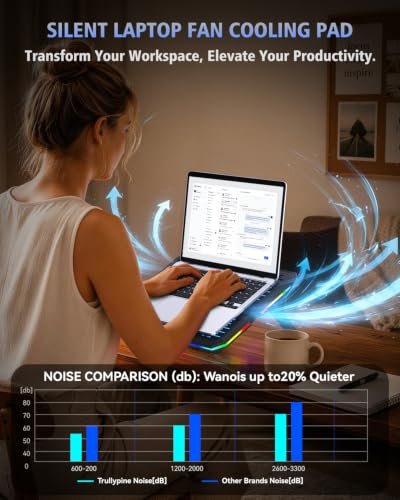
A laptop cooling pad lifts your computer and moves air beneath it to support better airflow. It can help gamers, creative workers, and anyone who uses a large laptop for long stretches. The best 18 inch laptop cooling pad balances a stable fit, useful cooling, and a comfortable angle.
A pad that looks powerful can still disappoint. Small fans may miss your laptop’s air intake, loud motors can spoil a quiet room, and a narrow deck may leave a heavy 18-inch machine perched at the edge. Some buyers also assume more fans always mean better cooling, but fan placement and laptop fit matter just as much. A poor match can waste desk space and add noise without solving heat buildup. Choosing carefully helps you avoid those headaches and find a stand that suits your laptop and daily work.
I focus on laptop accessories and the practical details that matter at a desk. For this guide, I compared each listed model’s size range, fan setup, stand features, ports, and stated design. I also noted fit limits rather than treating every pad as a match for every 18-inch laptop. This best 18 inch laptop cooling pad guide prioritizes clear trade-offs, everyday comfort, and informed buying.
What you’ll learn
- How to check laptop size and air intake before you buy
- Which fan and stand features may suit your setup
- How the five cooling pads differ in design and stated fit
- Which models may suit gaming, quiet work, or a tighter budget
In This Article
How To Choose The Best best 18 inch laptop cooling pad
The right cooling pad should fit your laptop, support its weight, and match how you work. A common mistake is to buy by fan count alone: more fans do not guarantee a better result if they miss the laptop’s intake vents. Cheap stands may also wobble, feel too small, or add distracting noise. Before choosing the best 18 inch laptop cooling pad, check the maker’s size range, your laptop’s vent layout, the stand’s height settings, and how it connects to your computer.
Check Laptop Size and Airflow
Start with your laptop’s actual width and depth, not only its screen size. An 18-inch screen does not tell you where the vents sit or how large the base is. Look for a cooling pad rated for your laptop’s size, then compare its fan placement with the air intake underneath your computer. A mismatch can leave fans blowing at solid panels instead of vents. The Targus and Razer models list support up to 18 inches, while the Kootek is rated only up to 17 inches. For a true 18-inch laptop, confirm dimensions before buying.
Match Fan Design to Your Needs
Fan count is only one part of cooling. A few larger or well-placed fans may suit a laptop better than many small fans, depending on the vent layout. Check whether fan speed can be adjusted, and consider noise if you work or play in a quiet room. The Razer lists intelligent fan control and custom fan curves, while several other models list multiple fans and lighting. Treat advertised fan counts as design details, not a promise of lower temperatures. If your laptop runs hot, also keep its vents clean and use it on a firm surface.
Consider Comfort, Ports, and Build
A stand can improve screen height and typing comfort, but it must hold a large laptop securely. Check the adjustment range, non-slip supports, and whether the angle suits your desk. USB ports can help with accessories, though they may not replace a powered hub or add charging power. RGB lights are a style choice, not a cooling feature. If you move your setup often, favor a design that feels easy to place and store. The best 18 inch laptop cooling pad is the one that fits your laptop and routine without adding needless clutter.
Quick Comparison
| Model | Category | Best For | Key Spec | Amazon |
|---|---|---|---|---|
| 10-Fan RGB Laptop Cooling Pad | Feature Rich | Large laptops and adjustable setup | 10 fans; fits 12–18.1 inches | Amazon |
| Razer Laptop Cooling Pad | Premium | Custom fan control and gaming setups | Smart fan control; fits 14–18 inches | Amazon |
| Targus Chill Mat HD3 Gaming | Quiet Cooling | Simple airflow for laptops up to 18 inches | Three ultra-quiet fans | Amazon |
| AICHESON 15-Fan Cooling Pad | RGB Multi-Fan | Users who want many fans and lighting | 15 fans; fits up to 18 inches | Amazon |
| Kootek 5-Fan Cooling Pad | Budget Pick | Laptops up to 17 inches | Five fans; six height settings | Amazon |
In-Depth Reviews for best 18 inch laptop cooling pad
1.10-Fan RGB Laptop Cooling Pad
 10-Fan RGB Laptop Cooling Pad
” />
This laptop cooling pad lists ten fans and support for laptops from 12 to 18.1 inches. Its broad size range makes it a notable option for large gaming laptops. Seven height settings let you adjust the viewing angle, while RGB lighting adds color to a desk setup. The USB Type-C connection is another listed feature.
The stand combines cooling, elevation, and lighting in one desk accessory. Its stated size range covers many 18-inch laptops, but compare the pad’s dimensions with your laptop before ordering. It may suit gamers and heavy laptop users who want several fan zones and an adjustable screen angle. Fan count alone cannot guarantee lower temperatures, so check vent placement.
The listed height options and wide fit range offer useful flexibility. RGB lighting may appeal to gaming setups, though it is not needed for cooling. Keep the fan surface clear and wipe dust away with a soft cloth. Check the stand’s stability with your laptop before long sessions, and compare its features with your budget.
Why It’s Great
- Ten listed fans offer multiple airflow points.
- Rated for laptops up to 18.1 inches.
- Seven height settings help adjust desk posture.
- RGB lighting suits colorful gaming setups.
- USB Type-C connection is listed for convenient use.
Good to Know
- A high fan count does not prove stronger cooling; vent alignment matters.
- RGB lighting may be unnecessary if you prefer a plain desk.
- Confirm the product dimensions and laptop support before purchase.
2.Razer Laptop Cooling Pad
 Razer Laptop Cooling Pad
” />
The Razer Laptop Cooling Pad is designed for laptops from 14 to 18 inches. Its listed features include an airtight pressure chamber, adaptive fan control, and preset or custom fan curves. Three USB-A ports add connection options, while Chroma RGB brings adjustable lighting. This feature set makes it a premium-style choice for users who want control.
Fan curves let users tailor fan behavior rather than rely only on a fixed setting. The broad stated fit range can work for many 18-inch laptops, but check the laptop’s dimensions and intake layout first. This pad may suit gamers and power users who enjoy tuning their setup. Its extra controls may be more than casual users need.
The enclosed airflow design and control features give the pad a distinct approach. Keep its air path free of dust and follow the maker’s care guidance. The three USB-A ports may help connect accessories, but confirm their role and power limits for your devices. Its value depends on whether you will use the advanced controls.
Why It’s Great
- Adaptive fan control offers more tuning than a fixed fan setup.
- Custom fan curves let users tailor fan behavior.
- Three USB-A ports provide accessory connections.
- Chroma RGB offers lighting control for compatible setups.
- Listed fit range includes laptops up to 18 inches.
Good to Know
- Its premium features may be unnecessary for basic office use.
- Check exact laptop dimensions and vent placement for a secure match.
- An airtight chamber requires a compatible fit to work as intended.
3.Targus Chill Mat HD3 Gaming
 Targus Chill Mat HD3 Gaming
” />
The Targus Chill Mat HD3 Gaming is listed for laptops up to 18 inches and uses three ultra-quiet fans. Its integrated airflow design aims to move air under the laptop, while adjustable positioning helps set a useful angle. Non-skid feet support desk stability, and a USB port adds a simple connection option.
This model favors a straightforward design over a large fan count or bright RGB lighting. It may suit users who want a simple cooling stand for a large laptop and prefer a quieter work area. Check how its fan area lines up with your laptop’s vents. A stated 18-inch fit still calls for a dimensions check.
Its non-skid feet and simple layout may be easy to keep tidy. Dust can collect around any fan grille, so clean it gently and keep the airflow area open. The three-fan design is less complex than feature-heavy pads. Consider it for practical use, but compare its age, condition, and current price before buying.
Why It’s Great
- Listed to support laptops up to 18 inches.
- Three ultra-quiet fans suit noise-conscious users.
- Adjustable positioning can improve viewing comfort.
- Non-skid feet help keep the stand in place.
- A USB port is included for a simple setup.
Good to Know
- It has fewer fans and fewer listed extras than some rivals.
- The product description does not give a detailed height-setting count.
- Check current availability and condition before purchasing this older model.
4.AICHESON 15-Fan Cooling Pad
 AICHESON 15-Fan Cooling Pad
” />
AICHESON’s cooling pad lists 15 fans and support for 15-to-18-inch laptops. It pairs the fan array with RGB lights, a stand design, and two USB ports. The large fan count sets it apart from simpler pads, but real cooling depends on airflow, laptop vent placement, and how well the laptop sits on the surface.
The wide stated size range makes this model worth considering for many gaming laptops, including some 18-inch systems. Its lighting and fan-heavy look may suit a colorful desktop setup. Before use, compare the fan layout with your laptop’s intake vents and check that the laptop rests securely. It may be less appealing to users who want a plain stand.
The stand format gives the laptop a raised base, while the USB ports may help with nearby accessories. Keep the fan area clear and remove dust with gentle care. RGB lighting adds visual flair but also makes this a more styled choice. Compare the build, fit, and price with simpler options before deciding.
Why It’s Great
- Fifteen listed fans make it a high-count option.
- The stated range includes laptops up to 18 inches.
- RGB lighting adds color to gaming desks.
- Two USB ports are listed for added connectivity.
- The raised stand design can help improve screen position.
Good to Know
- Many fans do not ensure better cooling without good vent alignment.
- The RGB style may not fit a minimalist workspace.
- Confirm laptop dimensions and stability before use.
5.Kootek 5-Fan Cooling Pad
 Kootek 5-Fan Cooling Pad
” />
The Kootek cooling pad uses five fans and is rated for laptops from 12 to 17 inches. Six height settings give users several ways to raise the screen, and two extra USB hubs add connection options. Its blue LED lights create a simple gaming touch. The stated size limit is important for buyers with larger laptops.
This model may suit students, office users, and gamers with laptops no larger than 17 inches who want an adjustable stand. The fan layout is intended to provide broad airflow, but match it to your laptop’s vents for best fit. An 18-inch laptop falls outside the listed range, so choose another pad if your machine is that size.
The five-fan setup and adjustable height offer practical features in one stand. Keep the grilles clear of dust and place the pad on a firm desk. Its USB hubs may help with basic accessories, but check device needs before relying on them. It can be a useful value choice for compatible laptops, not oversized models.
Why It’s Great
- Five fans provide multiple airflow points.
- Six height settings support adjustable viewing angles.
- Two extra USB hubs add connection options.
- Blue LED lighting gives the stand a simple gaming look.
- The listed 12-to-17-inch range suits many common laptops.
Good to Know
- It is not rated for 18-inch laptops.
- Blue LED lighting may not be switchable; check the product details.
- USB hubs may not meet every accessory’s power needs.
Final Thoughts: The Verdict
My personal top pick is the 10-Fan RGB Laptop Cooling Pad for its stated 12-to-18.1-inch fit, adjustable height, and broad feature set. It is a strong place to start when searching for the best 18 inch laptop cooling pad, but check your laptop’s dimensions and vent layout before you buy. Fan count alone cannot promise lower temperatures.
For custom controls and a premium gaming setup, consider the Razer Laptop Cooling Pad. The Targus is a simpler option for those who value its quiet-fan design, while the AICHESON suits users drawn to many fans and RGB lights. The Kootek is for laptops up to 17 inches, not true 18-inch models. Choose by fit, airflow, and budget.