
A Bluetooth keyboard gives you a simple way to type on a computer, tablet, or phone without a cable. It can suit students, home workers, and travelers who want a tidy desk or a portable setup. This guide to the best bluetooth keyboard under $50 compares compact boards, number-pad models, and a useful combo.
A low-cost keyboard can look like a bargain, then frustrate you with cramped keys, missed keystrokes, or a connection that does not work with your device. Another common mistake is buying a wireless keyboard that uses a USB receiver and assuming it has Bluetooth. That matters when your tablet has no USB-A port. Layout matters, too: a tiny board can save desk space but slow down long work sessions. Choosing the right keyboard helps make daily typing feel easy, not like a chore.
I focus on practical keyboard features: connection type, layout, portability, and the devices each model is made to support. I compared the supplied product details and considered where each design fits best, while flagging important limits rather than guessing at hands-on results. This best bluetooth keyboard under $50 guide prioritizes clear compatibility, useful features, and value for everyday typing.
What you’ll learn
- How to tell Bluetooth models from keyboards that need a USB receiver.
- Which layouts suit desk work, travel, or tablet use.
- What each keyboard offers and where it has limits.
- How to choose a keyboard that fits your devices and budget.
In This Article
How To Choose The Best Bluetooth Keyboard Under $50
The best bluetooth keyboard under $50 should work with your device and feel comfortable for the tasks you do most. A low price alone cannot tell you if a keyboard has the right connection, key layout, or size. Some wireless models use a USB receiver instead of Bluetooth, while very small boards may lack keys you use every day. Check these details before you buy. A little care can save you from return hassles and a keyboard that sits unused in a drawer.
Check Bluetooth and Device Support
Start by checking the connection type, not just the word wireless. A Bluetooth keyboard pairs directly with compatible devices, while a USB receiver model needs an open port or an adapter. That can be a problem with some tablets and thin laptops. Check the listed support for your operating system, too. If you switch between a phone and a computer, confirm how pairing works before you buy. The Logitech K250 and OMOTON are listed as Bluetooth models; the MK270 uses a USB-A receiver and is not a Bluetooth pick.
Choose a Layout That Fits Your Work
Think about what you type and where you will use the keyboard. A number pad can help with budgets, spreadsheets, and data entry, but it takes up more desk space. A compact model is easier to carry and can leave room for a mouse, though its smaller footprint may feel less familiar. Check whether the arrow keys and number pad matter to you before ordering. The K250 and MK250 combo include number pads, while the OMOTON is a slim option for portable Apple-device use. Pick the layout you will enjoy using daily.
Consider Comfort, Power, and Everyday Use
Key feel can shape how pleasant a keyboard is during long work or study sessions. Deep-profile keys, like those listed for the K250, may suit people who prefer a fuller typing feel; a slim board can be easier to pack. Also check what the product listing says about power, durability, and spill resistance, since these details vary by model. Do not assume every budget keyboard has the same protection or battery setup. The best bluetooth keyboard under $50 for travel may not be the best choice for a full desk.
Quick Comparison
| Model | Category | Best For | Key Spec | Amazon |
|---|---|---|---|---|
| Logitech K250 Compact Bluetooth Keyboard | Best Overall | Typing with a number pad | Bluetooth only; spill-resistant | Amazon |
| Logitech MK250 Bluetooth Keyboard and Mouse | Keyboard and Mouse | A simple paired desk setup | Bluetooth; compact keyboard with number pad | Amazon |
| OMOTON Ultra-Slim Bluetooth Keyboard | Best for Apple Devices | Portable iPad and iPhone typing | Slim design; 12 multimedia keys | Amazon |
| Logitech MK270 Keyboard and Mouse Combo | USB Receiver Option | Users who want a receiver-based setup | USB-A nano receiver; not Bluetooth | Amazon |
In-Depth Reviews for best bluetooth keyboard under $50
1.Logitech K250 Compact Bluetooth Keyboard
 Logitech K250 Compact Bluetooth Keyboard
” />
The Logitech K250 is a compact Bluetooth keyboard with a full number pad and deep-profile keys. Its Bluetooth-only connection avoids the need for a USB receiver, which can make setup simpler with compatible devices. Logitech also lists spill resistance and responsive typing. For shoppers seeking the best bluetooth keyboard under $50, it balances useful desk features with a tidy footprint.
This graphite keyboard suits people who want number entry without moving to a larger, traditional board. Its keys have a deeper profile than many slim travel keyboards, which may feel familiar to desktop typists. Bluetooth support makes it a fit for compatible computers and devices. Check your operating system and pairing needs before buying, especially if you plan to switch between several devices.
The spill-resistant design may help with small desk mishaps, but it does not make the keyboard waterproof. Its practical layout and Logitech name make it a strong value if the current price fits your budget. Keep liquids away and wipe the surface gently with a soft, slightly damp cloth.
Why It’s Great
- Bluetooth connection means no USB receiver is required.
- Full number pad helps with spreadsheets and number entry.
- Deep-profile keys may suit users who prefer a fuller typing feel.
- Spill-resistant design adds a useful layer of protection.
- Compact layout saves space compared with many full-size boards.
Good to Know
- Bluetooth-only design will not suit devices that require a USB receiver.
- It does not include a mouse.
- Spill resistance does not mean it can be washed or submerged.
2.Logitech MK250 Bluetooth Keyboard and Mouse
 Logitech MK250 Bluetooth Keyboard and Mouse
” />
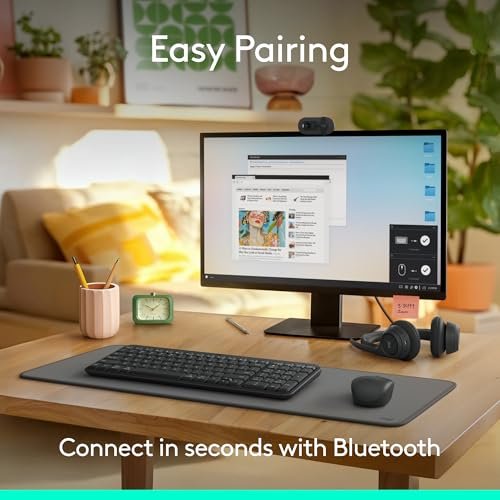
The Logitech MK250 pairs a compact Bluetooth keyboard with a small M196 mouse, so buyers can set up a basic desk without choosing each item separately. The keyboard includes a number pad, a helpful feature for work with figures. For anyone comparing the best bluetooth keyboard under $50, this combo stands out by adding a matching mouse while keeping the connection Bluetooth-based.
This set is suited to home offices, study spaces, and users who want a keyboard and mouse from one package. The small, ambidextrous mouse can work for either hand, and its three buttons keep things simple. The compact keyboard leaves more room on a desk than some full-size models. Check the product listing for device support and current pricing before you order.
The graphite finish gives the set a simple look, and the compact mouse is easy to place beside a laptop. A keyboard and mouse in one package can offer good value when both are needed. Clean the keyboard and mouse with a soft cloth, and do not assume they are spill-proof.
Why It’s Great
- Includes both a Bluetooth keyboard and a mouse.
- Keyboard has a number pad for common office tasks.
- Small mouse is described as ambidextrous.
- Three-button mouse design keeps controls simple.
- A convenient choice when replacing both desk devices.
Good to Know
- The mouse has only three buttons and no customizable controls.
- A compact mouse may feel small during long work sessions.
- Confirm Bluetooth support for each device you plan to use.
3.OMOTON Slim Bluetooth Keyboard for iPad
 OMOTON Slim Bluetooth Keyboard for iPad
” />
The OMOTON Ultra-Slim is a Bluetooth keyboard made for iPad, iPad Pro, iPad Air, iPad mini, and iPhone use. Its slim body is easy to pack, while 12 multimedia keys add quick controls. This model offers a different take on the best bluetooth keyboard under $50: a portable board aimed at Apple users rather than a roomy desk keyboard.
Its light, narrow design suits students, travelers, and anyone who types on an iPad at a cafe or in class. A Bluetooth connection avoids the need for a USB receiver, and the multimedia keys can make common tasks easier. The compact style may feel less roomy than a standard keyboard, so consider your typing habits if you write for hours at a time.
The simple white finish fits a light travel or home setup. Its slim build favors easy packing over the solid feel of a larger desk board. Wipe it with a soft cloth and check the current listing for device and operating system details. It can be a good-value pick when portability matters most.
Why It’s Great
- Slim shape is convenient to carry with a tablet.
- Designed for a range of iPad models and iPhone.
- Bluetooth connection works without a USB receiver.
- Twelve multimedia keys add handy shortcuts.
- Useful for school, travel, and light mobile work.
Good to Know
- Its compact, slim form may not suit users who want a full-size feel.
- The listed focus is Apple devices, so check compatibility for other systems.
- The supplied details do not list spill resistance.
4.Logitech MK270 Wireless Keyboard and Mouse
 Logitech MK270 Wireless Keyboard and Mouse
” />
The Logitech MK270 is a full-size wireless keyboard and mouse combo with a spill-resistant keyboard and a compact ambidextrous mouse. It connects through one included USB-A nano receiver, not Bluetooth. That distinction matters: it is not a Bluetooth choice, but it may suit buyers who want a simple receiver-based desk set. It should not be mistaken for the best bluetooth keyboard under $50.
The full-size layout suits people who prefer familiar spacing and a separate number pad for desk work. A single receiver connects both included devices, which can keep a computer setup simple when it has an open USB-A port. The compact mouse works for either hand. This set is best for compatible computers, not for tablets that need direct Bluetooth pairing.
The spill-resistant design is a practical feature for everyday desk use, though it does not make the keyboard waterproof. The included keyboard and mouse can offer useful value if you need both and have a free USB-A port. Clean the set gently and store the small receiver safely when not in use.
Why It’s Great
- Includes a full-size keyboard and a compact mouse.
- One USB-A receiver connects both devices.
- Spill-resistant keyboard design is useful for desk work.
- Full-size layout suits users who want familiar spacing.
- Mouse is described as compact and ambidextrous.
Good to Know
- This model is not Bluetooth and needs its USB-A receiver.
- The receiver may need an adapter for some laptops and tablets.
- It is not suitable for buyers who require direct Bluetooth pairing.
Final Thoughts: The Verdict
My personal top pick is the Logitech K250 Compact Bluetooth Keyboard. It combines direct Bluetooth, a full number pad, deep-profile keys, and spill resistance in one practical board. That mix makes it a strong choice for everyday desk typing and a leading best bluetooth keyboard under $50 option, subject to the current price.
For a keyboard and mouse together, consider the Logitech MK250 Bluetooth Keyboard and Mouse Combo. The slim OMOTON is better for portable Apple-device use. The MK270 is worth a look only if a USB receiver suits your setup; it is not Bluetooth. Check device support and price, then choose the layout that fits your daily work.