
Thermal paste, sometimes called cooling gel, fills tiny gaps between a laptop processor and its heatsink to help move heat away. It is for owners repairing an overheating laptop or replacing dried paste. The best cooling gel for laptop use can support better heat transfer when applied correctly and paired with a clean, working cooling system.
A laptop that runs hot, slows down, or spins its fans loudly can make even simple work feel like a chore. Yet paste is not a magic fix: old dust, blocked vents, failing fans, or heavy workloads may be the real cause. Cheap or unsuitable paste can be hard to spread, messy to clean, or a poor fit for the repair. Picking the right product matters, but so does applying the right amount and knowing when a laptop should be serviced by a professional.
I compared the listed thermal pastes by their stated size, intended use, included tools, and practical fit for laptop maintenance. I also considered how much paste a typical repair may need and the care involved in opening a laptop. This guide to the best cooling gel for laptop owners prioritizes clear choices, realistic expectations, and easier buying decisions.
What you’ll learn
- How thermal paste differs from a cooling pad or external gel pack
- Which listed paste suits routine laptop maintenance or demanding use
- Why paste size, application, and cleanup matter
- When overheating may need cleaning or repair instead of new paste
In This Article
How To Choose The Best best cooling gel for laptop
Choosing the best cooling gel for laptop repairs means matching the paste to the job, not simply buying the highest advertised number. A small tube may be enough for one laptop, while a large tube can make sense for repeat repairs. Some listings include tools or wipes; others do not. Also check whether your laptop can be opened safely and whether its maker permits user service. Dust, a weak fan, or poor airflow can cause heat too, so replacing paste alone may not solve the problem.
Check Laptop Fit and Paste Type
Look for a thermal paste intended for processors and graphics chips, and check the laptop maker’s service guidance before opening the case. Most standard laptop repairs use a small amount of non-electrically conductive paste, but the correct material can vary by design. Do not use a thermal pad, liquid metal, or an external cooling gel as a direct substitute without confirming compatibility. The best cooling gel for laptop use is one that suits the contact surfaces and can be applied safely. If the device uses unusual thermal materials, a repair shop is the safer choice.
Choose a Useful Amount and Easy Application
A 4-gram tube is often a practical size for a home repair and may leave some paste for later, while a 1-gram tube can suit a single small job. Larger tubes can be better value for technicians or people servicing several computers. Check whether the package includes a spatula, cleaning wipes, or other useful tools, but do not assume they are essential. Avoid buying more than you can store and use properly. For beginners, a simple package and a careful application guide may matter more than a large quantity.
Set Realistic Cooling Expectations
Thermal paste helps transfer heat from the chip to the heatsink; it does not cool a laptop by itself. Results depend on clean contact surfaces, correct paste amount, good heatsink pressure, clear vents, and working fans. A high thermal conductivity figure on a listing is not a guarantee of a specific temperature drop in your laptop. Check the product details, but avoid comparing numbers alone. For a machine that is still hot after cleaning and repasting, investigate fan health, airflow, and workload. The best cooling gel for laptop maintenance is only one part of a working cooling system.
Quick Comparison
| Model | Category | Best For | Key Spec | Amazon |
|---|---|---|---|---|
| ARCTIC MX-4, 4 g | Best Overall | Routine laptop and PC repairs | 4 g tube | Amazon |
| ARCTIC MX-7, 8 g | Large Tube | Repeat repairs and multiple devices | 8 g tube | Amazon |
| ARCTIC MX-4 with Spatula | Easy Application | Users who want a spreading tool | 4 g and spatula | Amazon |
| Thermal Grizzly Kryonaut, 1 g | Performance Pick | Small, demanding repair jobs | 1 g plus cleaning wipes | Amazon |
| 12.8 W/mK Thermal Paste, 4 g | Value Option | Buyers comparing stated conductivity | 4 g; listing states 12.8 W/mK | Amazon |
In-Depth Reviews for best cooling gel for laptop
1.ARCTIC MX-4 Thermal Paste, 4 g
 ARCTIC MX-4 Thermal Paste, 4 g
” />
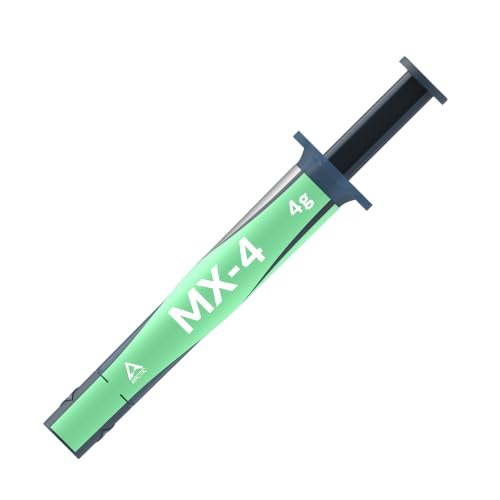
ARCTIC MX-4 is a familiar thermal paste for processor repairs, including suitable laptop service jobs. Its 4-gram tube offers a useful amount for careful home maintenance without a large bulk package. When applied to clean, compatible surfaces, paste helps transfer heat from the chip to its heatsink. It is a sensible starting point for buyers comparing the best cooling gel for laptop work.
The tube format is compact and easy to store with basic repair tools. Apply only a small amount, following your laptop’s service guide and the paste maker’s instructions. This version does not list a spatula, so use a suitable tool if your method calls for one. It suits owners who want a straightforward paste for an occasional laptop or desktop repair.
Paste residue needs careful removal with suitable cleaning supplies before a fresh application. The compact tube is simple to keep in a repair kit, and its familiar use makes it a practical option. Check the current price and package details to judge value, since the right amount depends on how many devices you service.
Why It’s Great
- A practical 4-gram size for occasional repairs
- Designed for processor thermal interface use
- Compact tube stores easily with repair tools
- A straightforward choice for routine maintenance
- Can suit both laptop and desktop service jobs
Good to Know
- The package listing does not include a spatula
- Laptop opening and heatsink removal may require repair skill
- Paste alone will not fix dust, fan, or airflow problems
2.ARCTIC MX-7 Thermal Paste, 8 g
 ARCTIC MX-7 Thermal Paste, 8 g
” />
ARCTIC MX-7 comes in an 8-gram tube and is listed as a long-durability thermal paste for processors. That larger amount can be useful when servicing several computers or keeping supplies ready for future maintenance. Like other pastes, it supports heat transfer at the chip and heatsink contact point. It is a strong option for buyers who need more than one repair’s supply.
The tube is best suited to careful users, repair hobbyists, or technicians who expect repeat work. For one laptop, the package may be more than necessary, so consider your repair plans before buying. Use it only where the device design calls for thermal paste, and follow the laptop maker’s service steps. As a best cooling gel for laptop contender, its main draw is quantity.
Keep the cap secure and store the tube as directed to help preserve the paste. Clean old material from contact surfaces before applying a fresh layer. Its larger size may offer good value for repeat repairs, but buyers with one device should compare the price per repair before choosing it.
Why It’s Great
- Larger 8-gram tube suits repeat repairs
- Listed for long durability
- Designed for processor thermal interface use
- Useful for households with several computers
- Can reduce the need to restock after each repair
Good to Know
- May be excessive for a single laptop repair
- The listing details do not establish a specific temperature drop
- Correct application and clean contact surfaces remain essential
3.ARCTIC MX-4 with Spatula, 4 g
 ARCTIC MX-4 with Spatula, 4 g
” />
This ARCTIC MX-4 package pairs a 4-gram tube of processor thermal paste with a spatula. The added tool can help users who prefer to spread paste by hand, though the right method depends on the laptop’s heatsink design. It serves the same core role as other thermal pastes: filling tiny gaps at the contact point to help heat move into the heatsink.
The included spatula makes this package appealing to first-time repairers who have already confirmed their laptop uses paste and can be safely opened. It also suits home users who want a small tool included rather than sourcing one separately. Follow the device service guide, keep paste away from other parts, and use a thin, even amount where the maker advises.
A spatula can make application more convenient, but it does not replace careful cleaning or safe disassembly. The tube is compact and the extra tool adds practical value for some buyers. Compare its price with the standard 4-gram MX-4 package, since the included accessory matters most if you need it.
Why It’s Great
- Includes a spatula for spreading paste
- 4-gram amount suits occasional home repairs
- Processor-focused thermal paste
- Useful for buyers without an application tool
- Compact format is easy to store
Good to Know
- Spreading paste is not required for every application method
- A spatula does not make laptop disassembly risk-free
- Check the price against the standard MX-4 package
4.Thermal Grizzly Kryonaut, 1 g
 Thermal Grizzly Kryonaut, 1 g
” />
Thermal Grizzly Kryonaut is marketed for demanding applications and comes in a 1-gram size. This package also lists 12 cleaning wipes: six wet and six dry. The small tube can fit a focused repair kit, while the wipes may help with cleanup. For buyers seeking the best cooling gel for laptop maintenance, it offers a compact option with useful extras.
The 1-gram amount is suited to a single small repair or a user who values a compact supply. The included wipes may be handy, but confirm they are appropriate for your device and follow their directions. Kryonaut is also marketed for CPU, GPU, and console use. Choose it for a compatible repair, not as a quick fix for blocked vents or a worn fan.
Use suitable cleaning steps and keep the wipes sealed until needed. The small tube limits leftovers, which can appeal to occasional users, though repeat repairers may prefer a larger size. Check the current package contents and price to decide whether the included wipes offer enough value for your repair.
Why It’s Great
- Compact 1-gram size for a focused repair
- Includes six wet and six dry cleaning wipes
- Marketed for demanding processor and graphics use
- Convenient package for a small repair kit
- May suit users who do not need a large tube
Good to Know
- One gram may not suit several planned repairs
- The wipes still require careful, label-guided use
- A performance-focused label does not guarantee a laptop temperature result
5.12.8 W/mK Thermal Paste, 4 g
 12.8 W/mK Thermal Paste, 4 g
” />
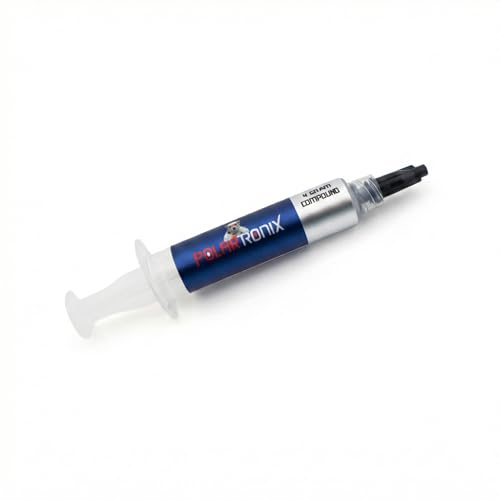
This 4-gram thermal paste listing states a thermal conductivity rating of 12.8 W/mK and describes the paste as non-corrosive and non-conductive. Those are seller-provided claims, so check the current listing and product details before purchase. Its processor, graphics, and laptop positioning makes it one option for shoppers comparing the best cooling gel for laptop repairs.
The 4-gram tube offers a practical amount for an occasional maintenance job. It may suit buyers who want to compare a stated conductivity figure with established brands, but that number alone cannot predict real laptop temperatures. Confirm compatibility, use a careful amount, and follow the computer maker’s instructions. New repairers should also consider whether they have the right cleaning supplies and tools.
The tube size is convenient for a small repair kit, and cleanup follows the same careful steps used with other pastes. Review the seller’s current claims, package contents, and return terms before ordering. Its value depends on price and verified product details, not just the printed conductivity figure.
Why It’s Great
- 4-gram size is practical for occasional use
- Listing states 12.8 W/mK conductivity
- Described as non-conductive and non-corrosive by the listing
- Positioned for CPU, GPU, and laptop use
- Gives buyers another option to compare
Good to Know
- The stated specifications are listing claims to verify
- A conductivity figure alone does not predict real-world cooling
- Brand and product history may be less familiar to some buyers
Final Thoughts: The Verdict
My personal top pick is ARCTIC MX-4, 4 g because its useful tube size and straightforward purpose suit many routine repairs. It is a practical choice for shoppers seeking the best cooling gel for laptop maintenance, as long as their device uses paste and can be serviced safely. Remember, a clean fan and clear vents matter too.
For repeat repairs, consider ARCTIC MX-7, 8 g; choose Thermal Grizzly Kryonaut, 1 g if a compact tube and included wipes suit your job. The spatula-equipped MX-4 can help if you want that tool, while the 12.8 W/mK listing merits careful spec checking. Pick for your repair, skill, and budget.